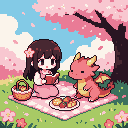
An AI pixel art generator that hands you real pixels.
Describe what you want in one sentence. What lands on your canvas is pixel art on its own grid, in a small palette, ready to edit, animate and export like anything you drew.
Open AI, switch to Generate and write one sentence.
02
Pick a style
Simple, Standard or Detailed, and whether the background stays.
03
Generate
1 credit a picture. They land on your canvas, usually in under a minute.
04
Make it yours
Edit, animate and export it like anything you drew.
Describe
One sentence, any subject.
A character, a creature, an item, an icon, a building, a room or a whole landscape. Write it in your own language, as plainly as you like.
How to
1Open AI on the canvas and switch from Agent to Generate.
2Describe what you want, for example “a wizard tower on a hill at dusk”.
3Choose how many pictures, 1, 2, 4 or 8. Each one costs 1 credit.
4Press Generate. The pictures appear on the canvas, usually in under a minute.
Tip Not sure what to write? Press Tab in the empty box for an example.
>a cute witch girl with a big hat riding a broom, her black cat clinging to the hat
Style
Simple, standard or detailed.
The style sets how fine the grid is. Simple is chunky and bold, Standard suits most sprites, and Detailed has room for buildings, rooms and whole scenes.
How to
1Pick Simple, Standard or Detailed before you generate.
2Leave Background on Transparent for one subject on its own, cut out and cropped.
3Choose Full scene for a backdrop that fills the whole picture.
Tip Generate a few at once and keep the one you like. The others are just images you can delete.
Simple
Standard
Detailed
Edit
Real pixels, not a picture of them.
Every result is pixel art on its own grid with at most 16 colours, placed on your canvas as an image. It is not a blurry render you have to clean up first.
How to
1Double-click a result to open it in the editor.
2Fix a pixel with the pencil, or swap a colour across the whole sprite with Replace colour….Shift R
3Give it a second frame and animate it on the timeline.
4Select it on the canvas and open Export for Godot, Unity, Aseprite, PNG or GIF.Command E
Tip Turn on the pixel grid to see every pixel it drew.Command Shift '
Agent
Or just ask.
In Agent mode, say what you need and it works on your canvas. It proposes new art with its price, recolours or touches up images, adds notes and sections, and answers questions from the guide.
How to
1Open AI on the canvas. It starts in Agent mode.
2Ask in any language, for example “make four enemies for my forest level”.
3Check the proposal, change the description if you like, and press Generate. Nothing that costs credits runs before that.
4Press Undo under a request to put back everything it changed.
Tip Select images first and the Agent works on those.
>Put the girls in a section called Heroes and leave a note: enemies next
New section: Heroes
New note
Done: the three girls are in Heroes, with the note beside them.